> ## Documentation Index
> Fetch the complete documentation index at: https://bruno-a6972042-mintlify-5cf3e75d.mintlify.site/llms.txt
> Use this file to discover all available pages before exploring further.

# Configuring and Fetching secrets

1. Go to **Collection Settings** and navigate to the **Secrets** section.
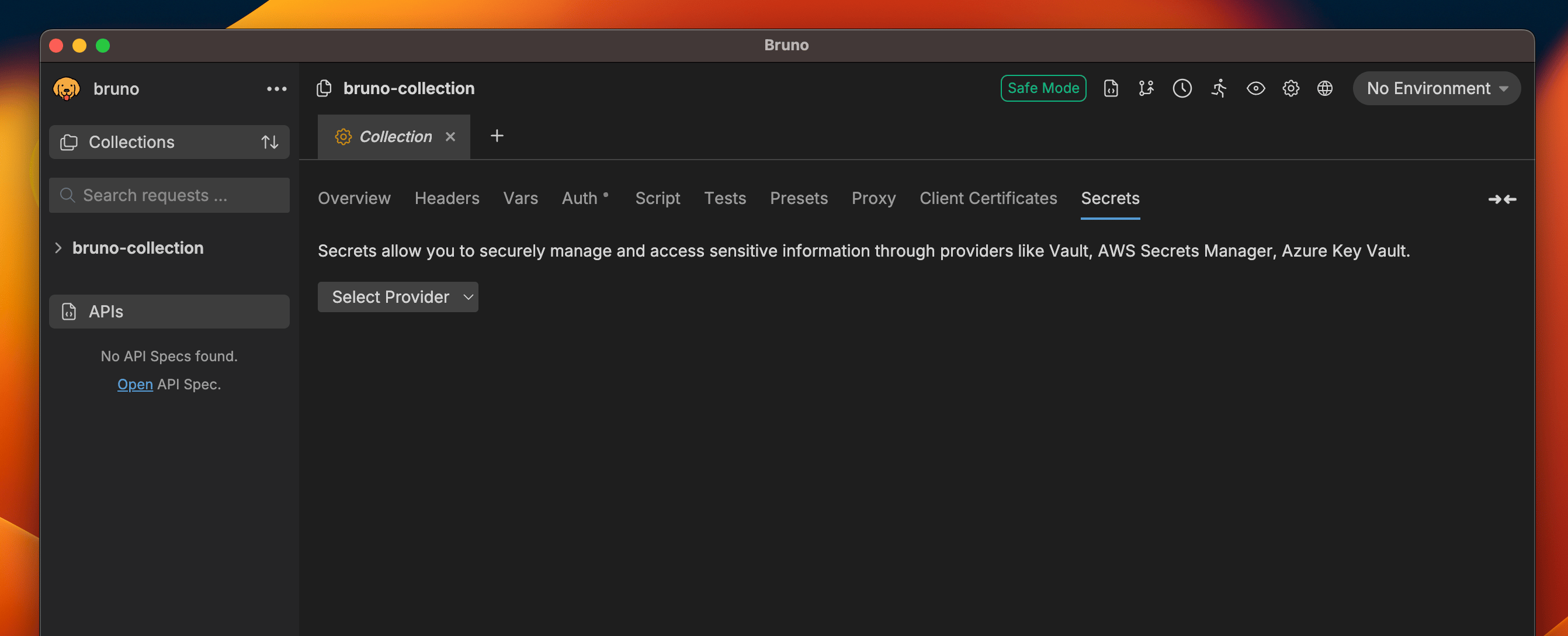
<img src="https://mintcdn.com/bruno-a6972042-mintlify-5cf3e75d/HPc0C-tAYYamoLxZ/v2/images/screenshots/secret-variables/hashicorp-vault/config-and-fetching-secrets/1-select-provider.webp?fit=max&auto=format&n=HPc0C-tAYYamoLxZ&q=85&s=e2c289c1ba7e16e6961483c3abc9d7e5" alt="select-provider" width="2684" height="1088" data-path="v2/images/screenshots/secret-variables/hashicorp-vault/config-and-fetching-secrets/1-select-provider.webp" />

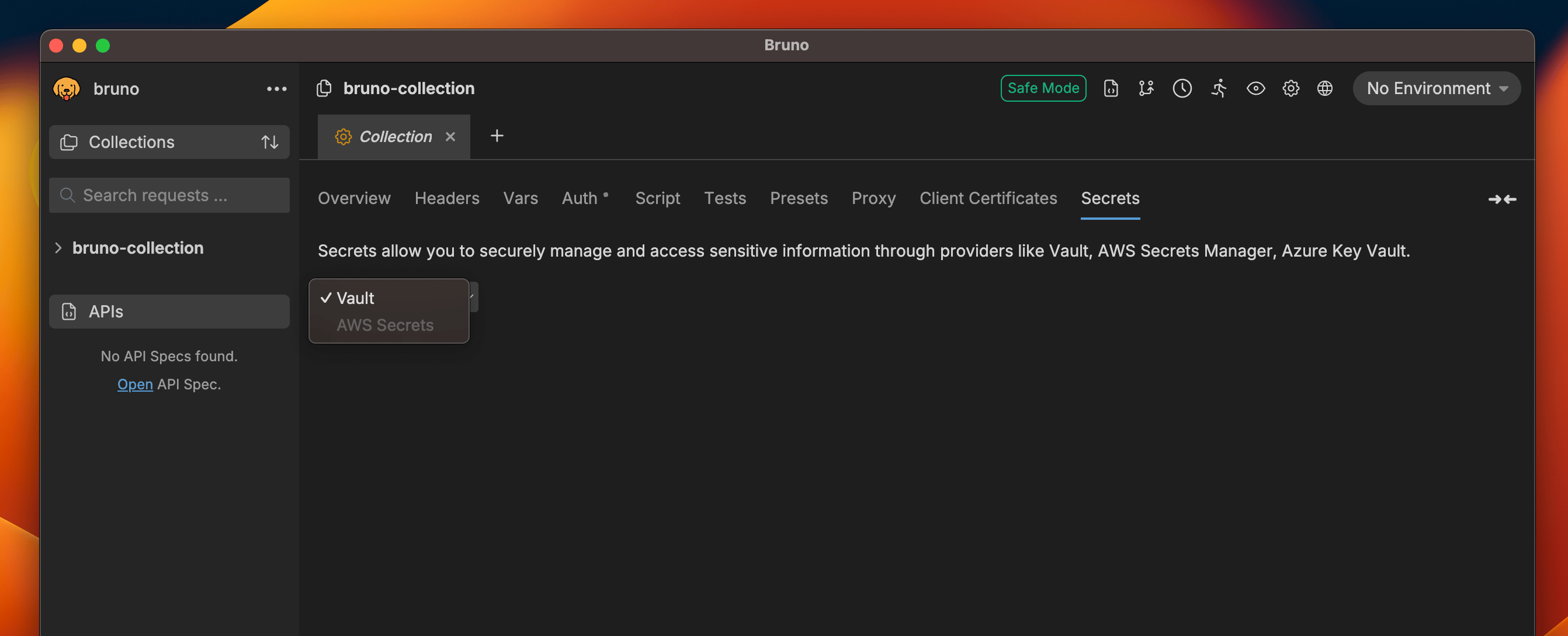
2. Select `Vault` as the provider.

<img src="https://mintcdn.com/bruno-a6972042-mintlify-5cf3e75d/HPc0C-tAYYamoLxZ/v2/images/screenshots/secret-variables/hashicorp-vault/config-and-fetching-secrets/2-vault-selected.webp?fit=max&auto=format&n=HPc0C-tAYYamoLxZ&q=85&s=57ed0e2745e8cb7af9ce3e3d8fc4a2a8" alt="vault-selected" width="2684" height="1088" data-path="v2/images/screenshots/secret-variables/hashicorp-vault/config-and-fetching-secrets/2-vault-selected.webp" />

3. Choose an environment if not already selected. (Secrets are environment-specific)

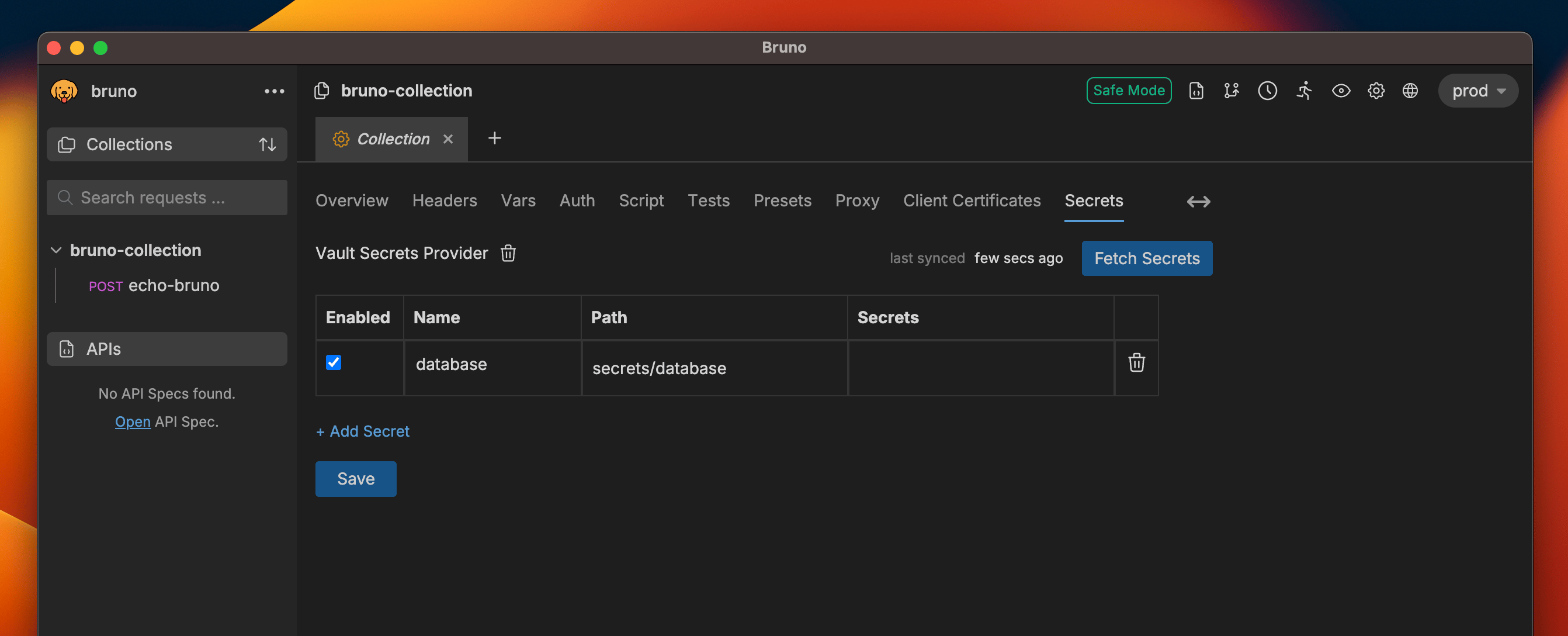
4. Add a new secret by clicking on the `+ Add Secret` button.
<img src="https://mintcdn.com/bruno-a6972042-mintlify-5cf3e75d/HPc0C-tAYYamoLxZ/v2/images/screenshots/secret-variables/hashicorp-vault/config-and-fetching-secrets/3-add-secret.webp?fit=max&auto=format&n=HPc0C-tAYYamoLxZ&q=85&s=2d4099ba6866dbdca33dbb097c4e180b" alt="add-secret" width="2684" height="1088" data-path="v2/images/screenshots/secret-variables/hashicorp-vault/config-and-fetching-secrets/3-add-secret.webp" />

5. Provide a name for the secret and specify the relative path to where the secret is stored in Vault.

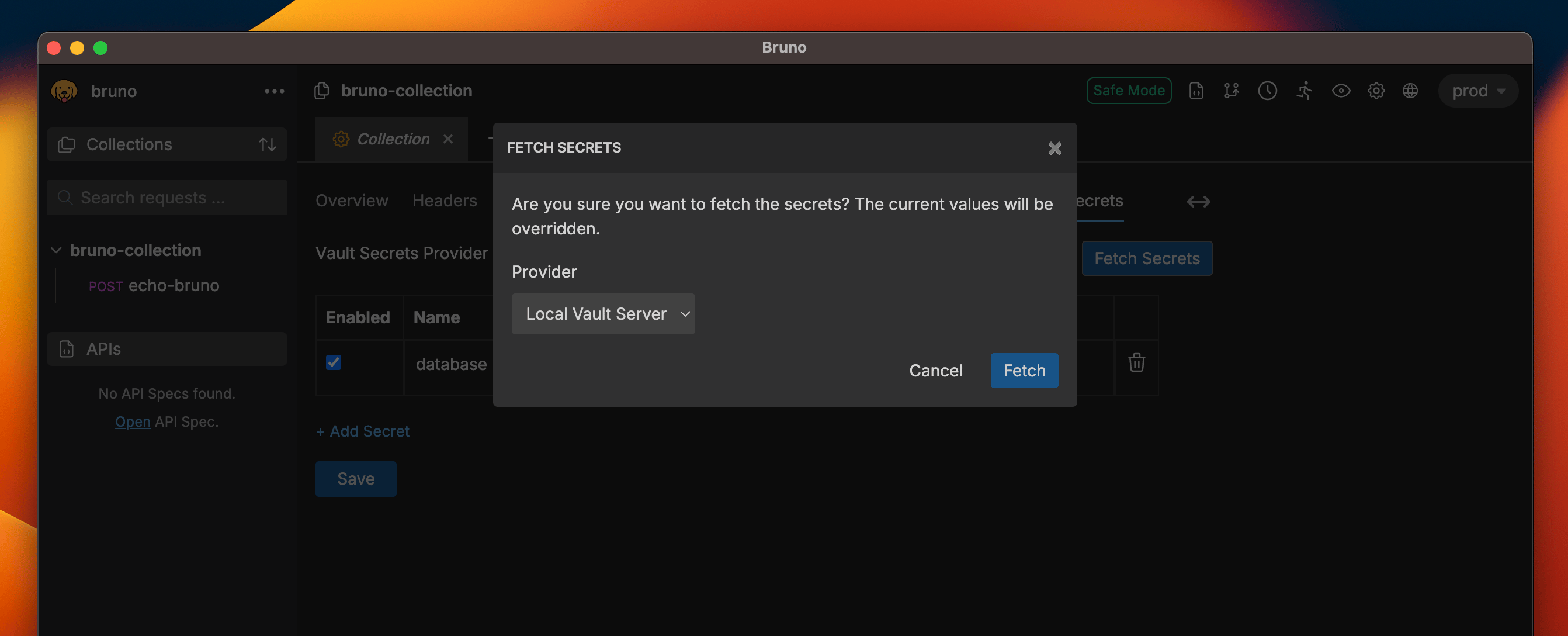
6. Click on the `Fetch Secrets` button on the top left corner, choose one of the secret providers, and click on the `Fetch` button.
<img src="https://mintcdn.com/bruno-a6972042-mintlify-5cf3e75d/HPc0C-tAYYamoLxZ/v2/images/screenshots/secret-variables/hashicorp-vault/config-and-fetching-secrets/4-fetch-secrets.webp?fit=max&auto=format&n=HPc0C-tAYYamoLxZ&q=85&s=f5d21a3827ffda69daa6f302bc2acdbb" alt="fetch-secrets" width="2684" height="1088" data-path="v2/images/screenshots/secret-variables/hashicorp-vault/config-and-fetching-secrets/4-fetch-secrets.webp" />

7. The fetched secrets will be displayed in the table along with their names and paths.
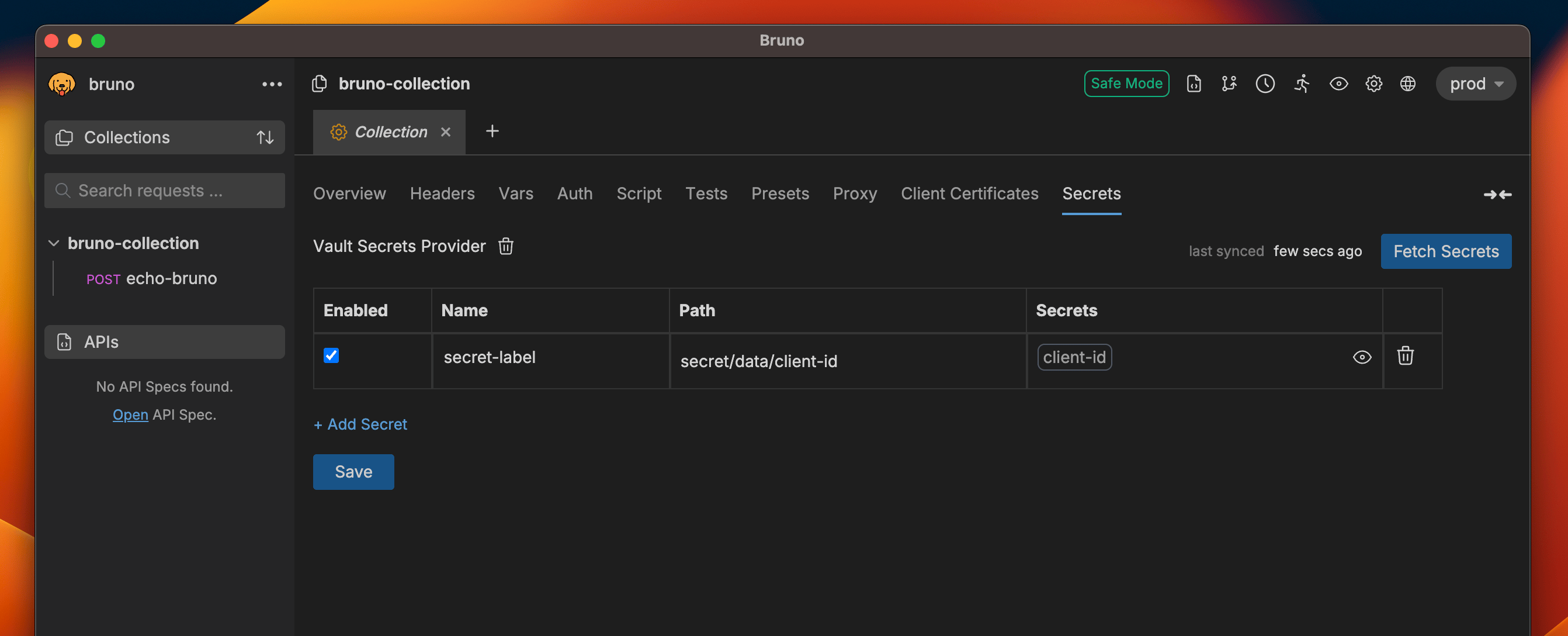
<img src="https://mintcdn.com/bruno-a6972042-mintlify-5cf3e75d/HPc0C-tAYYamoLxZ/v2/images/screenshots/secret-variables/hashicorp-vault/config-and-fetching-secrets/5-get-valut-values.webp?fit=max&auto=format&n=HPc0C-tAYYamoLxZ&q=85&s=a4a684f229f4c1c35d17c940c06ae4a1" alt="fetched-secrets" width="2684" height="1088" data-path="v2/images/screenshots/secret-variables/hashicorp-vault/config-and-fetching-secrets/5-get-valut-values.webp" />